
How to Enroll Groups
Enroll individual learners in a course
You can create enrollments once you publish a course and have learners in your portal.
You cannot enroll learners in draft courses.
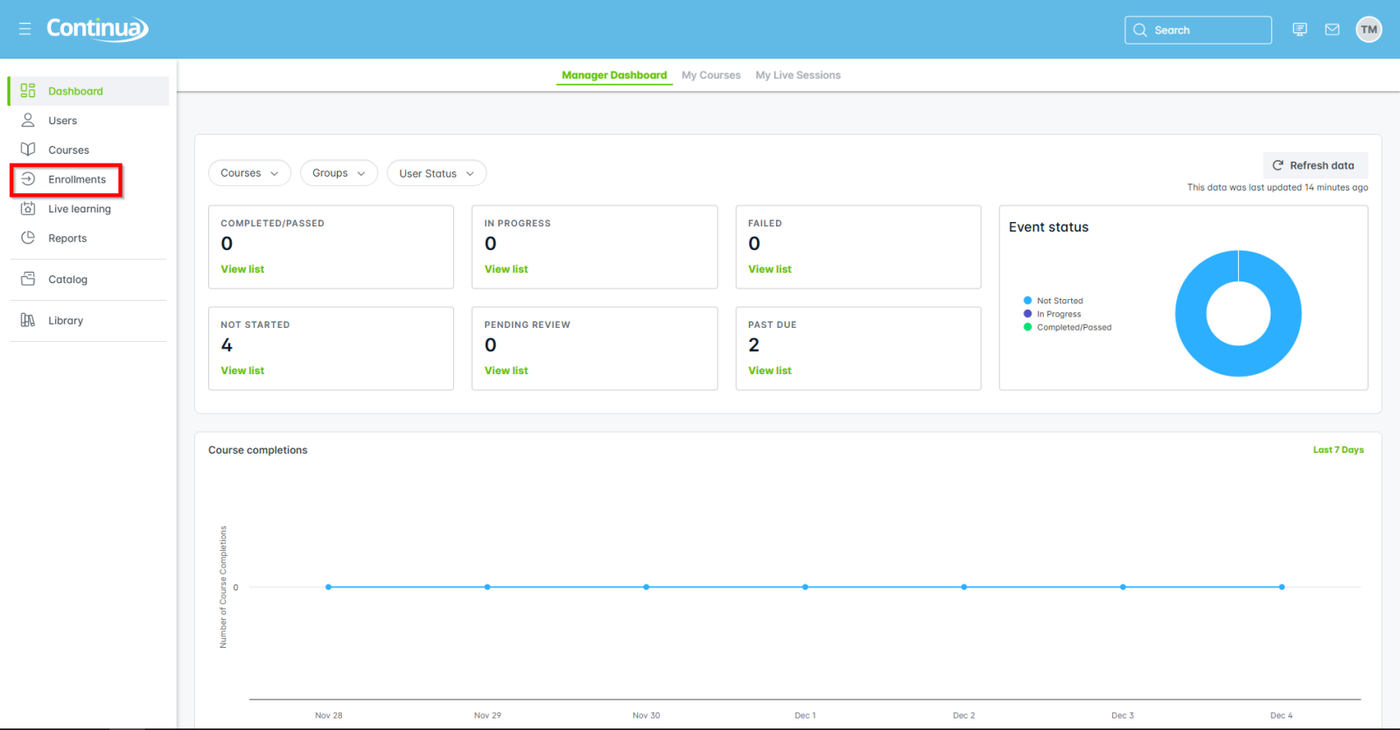
- From the primary navigation, go to Enrollments.
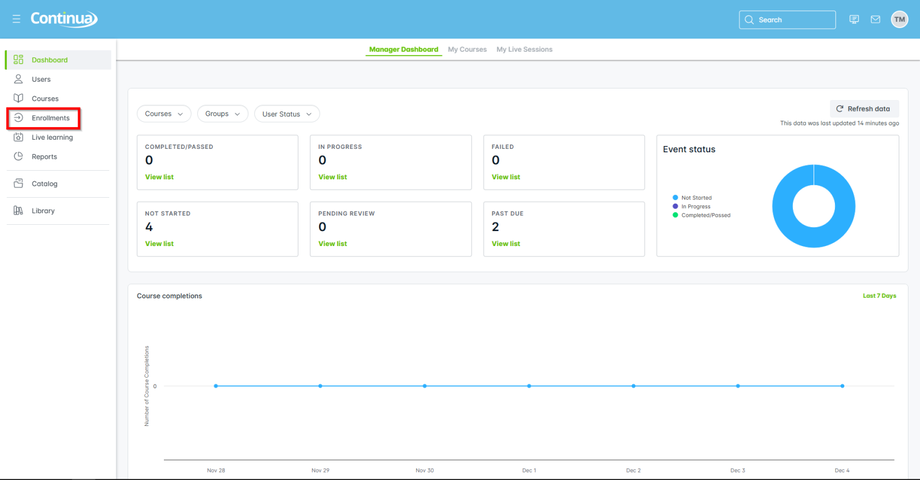
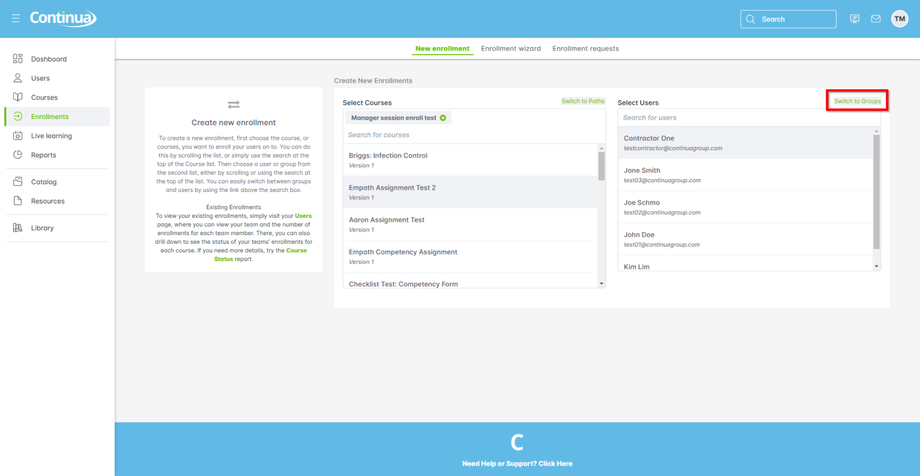
- From Create New Enrollment, select one or more courses from the list.
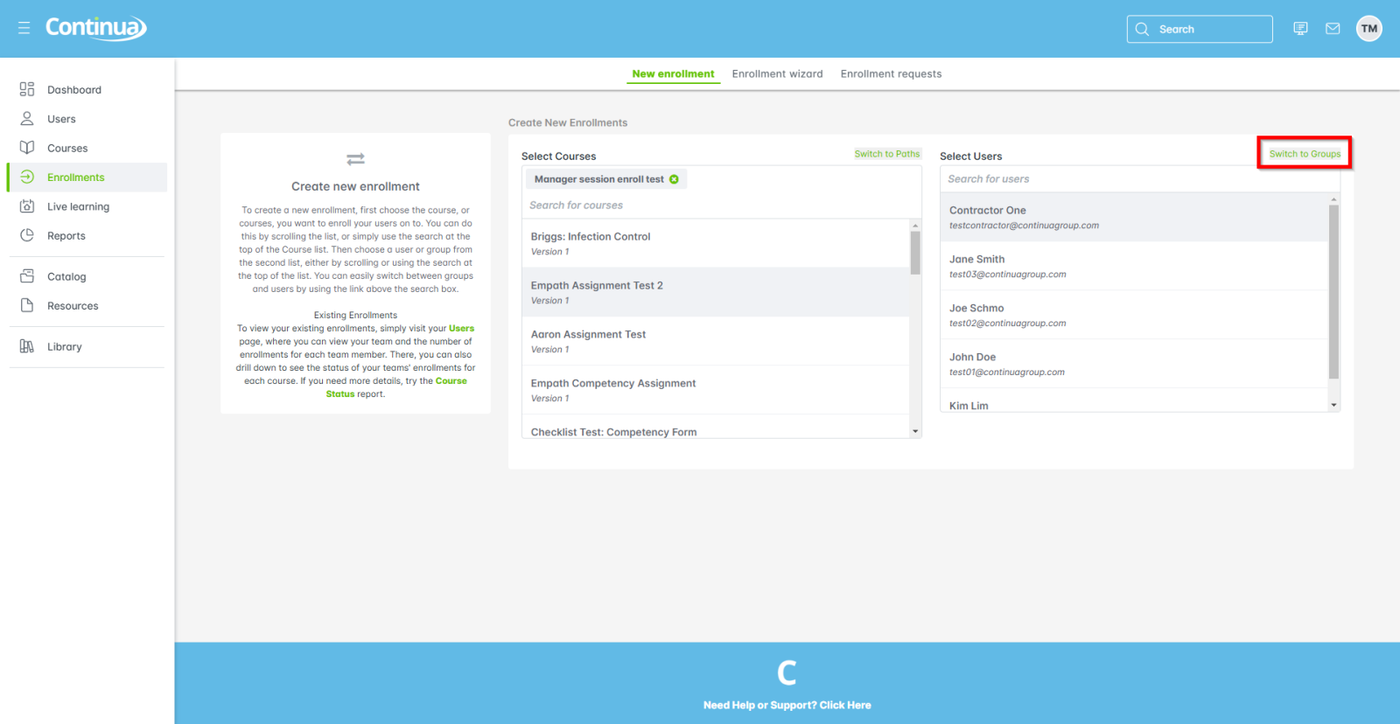
- On the Select Users side, select Switch to Groups to enroll groups instead of individuals: the window label changes to Select Groups.
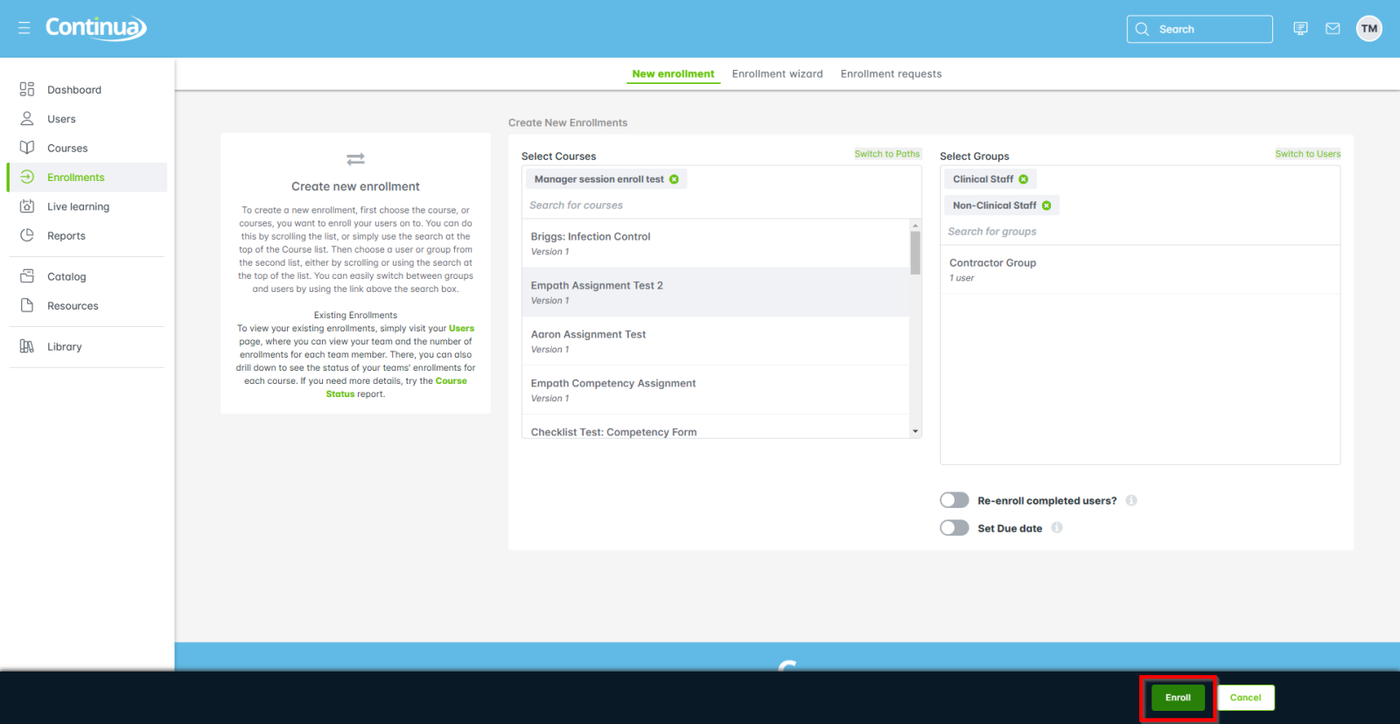
- Select one or more groups to enroll in a course.
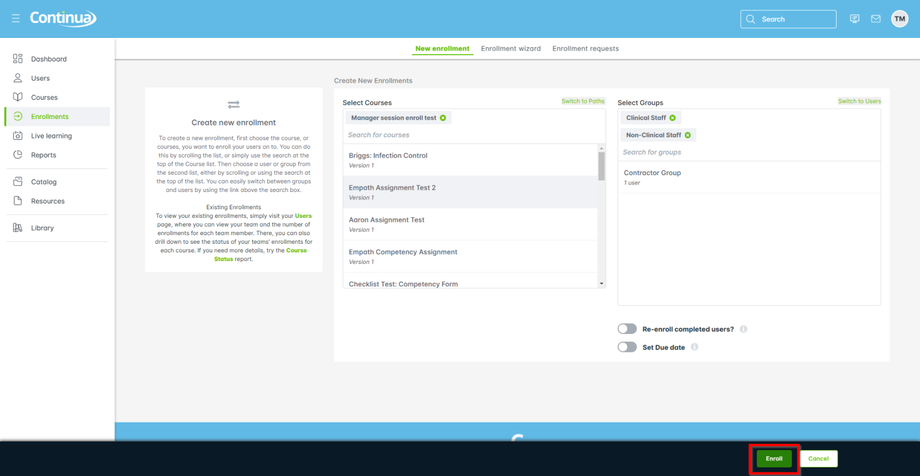
- Select Enroll to finish.