
How to Download User Course Certificates
Downloading a user's certificates
(Learners can download their certificates from their course content details page.)
When required, managers can download learners' certificates for them.
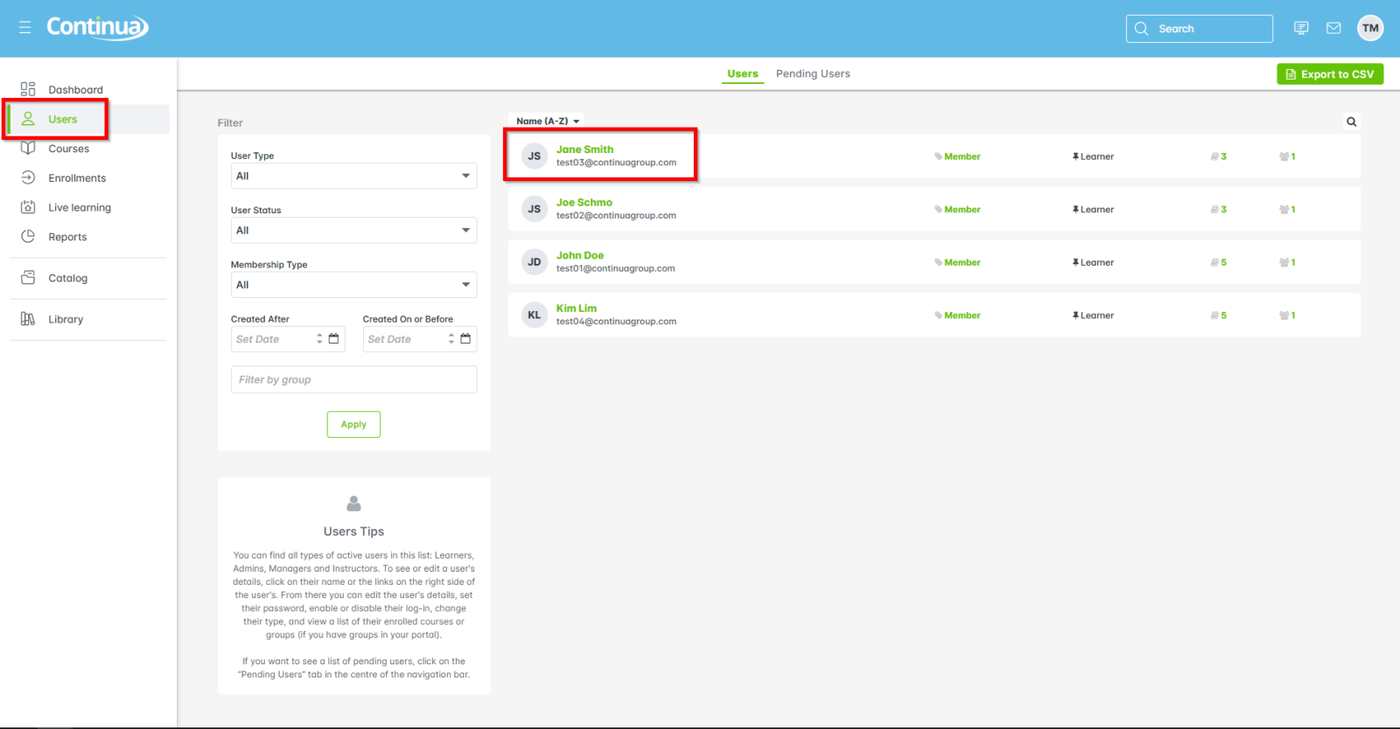
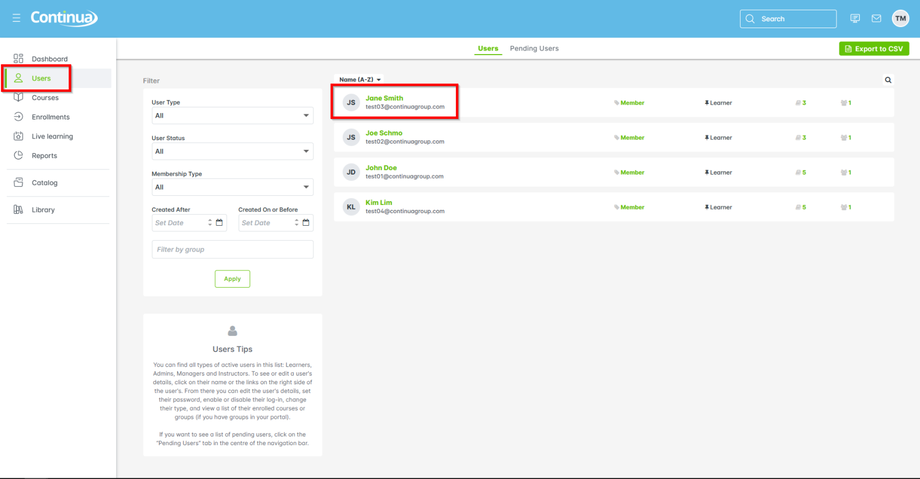
- From the main navigation go to Users > learner name
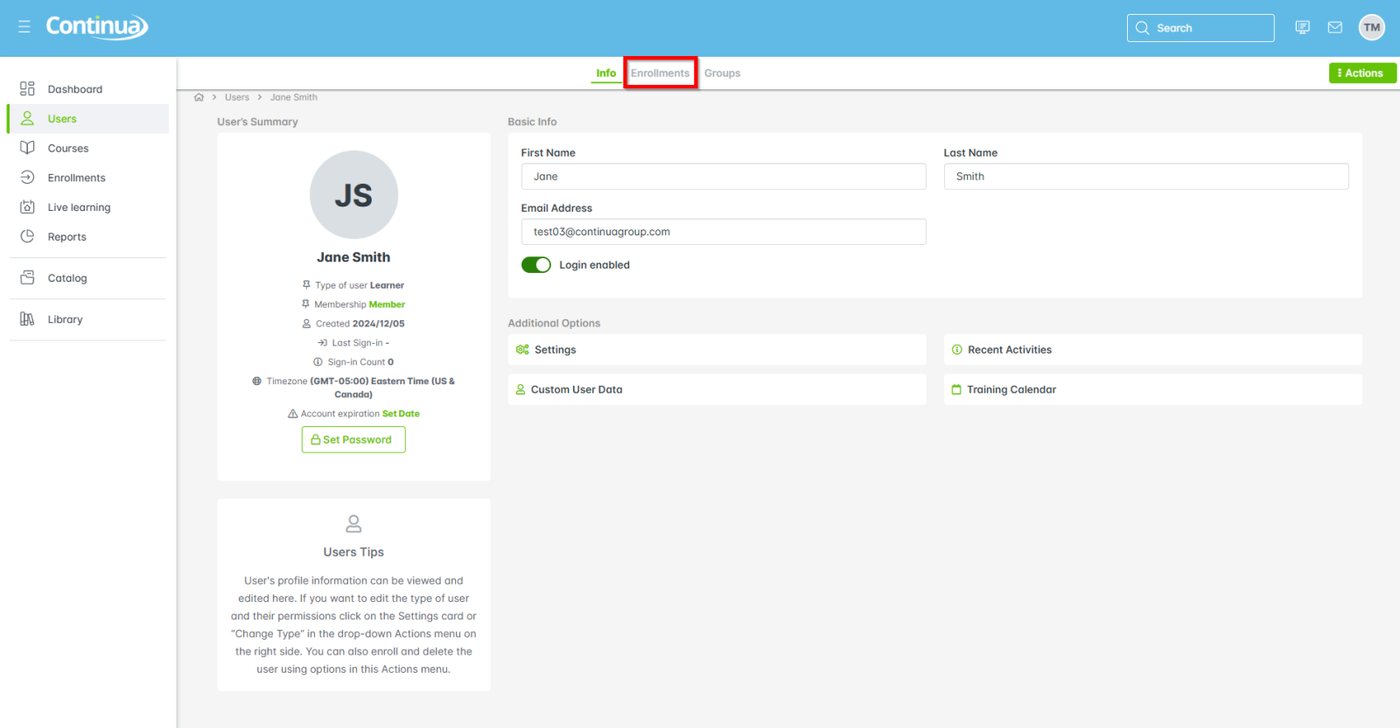
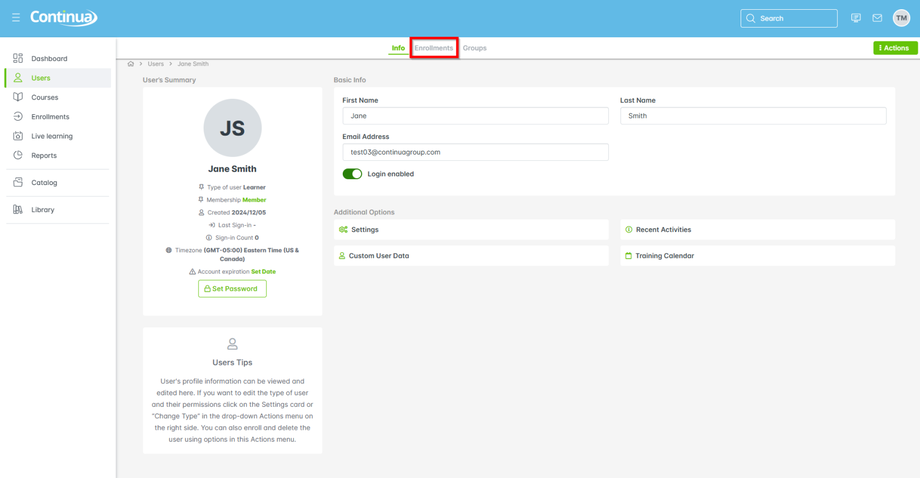
- Select Enrollments to view the learner's courses
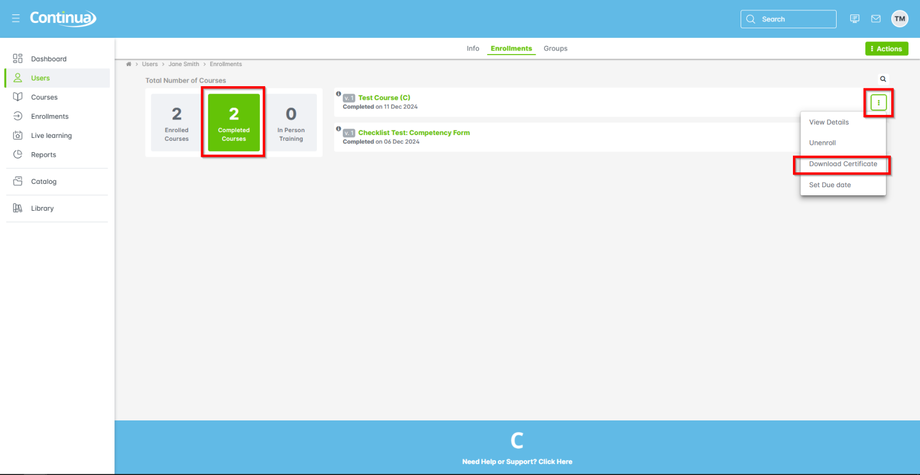
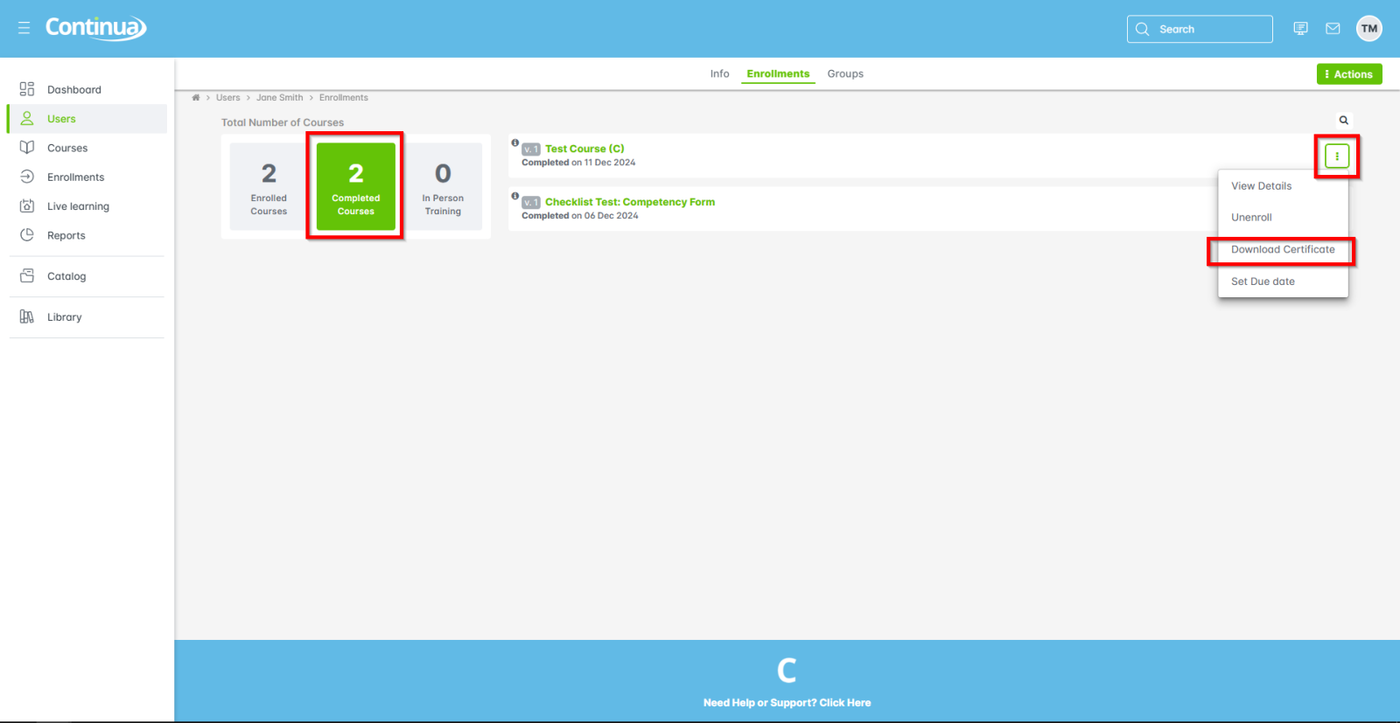
- Click on Completed Courses, choose the course, select Next (aka 3-dot menu) > Download certificate
(You may only download certificates for users if they have completed the course.)