
How to Enroll and Unenroll Users
Enroll individual learners in a course
You can create enrollments once you publish a course and have learners in your portal.
You cannot enroll learners in draft courses.
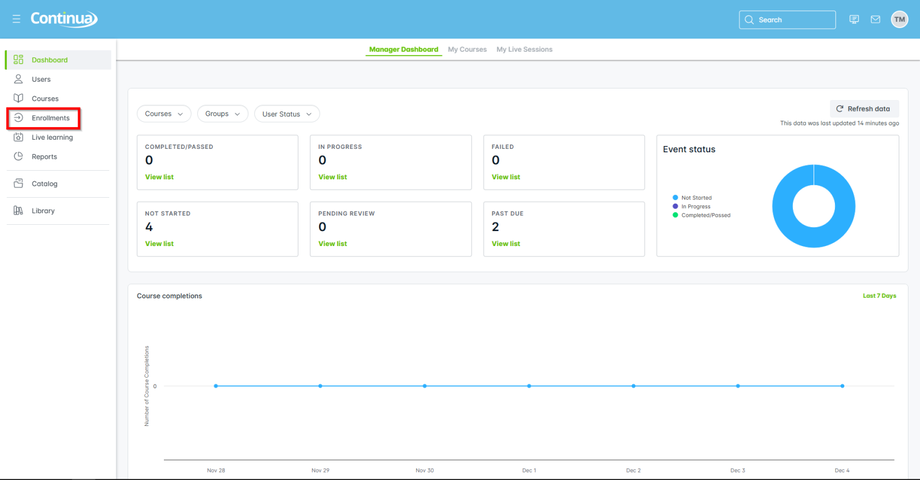
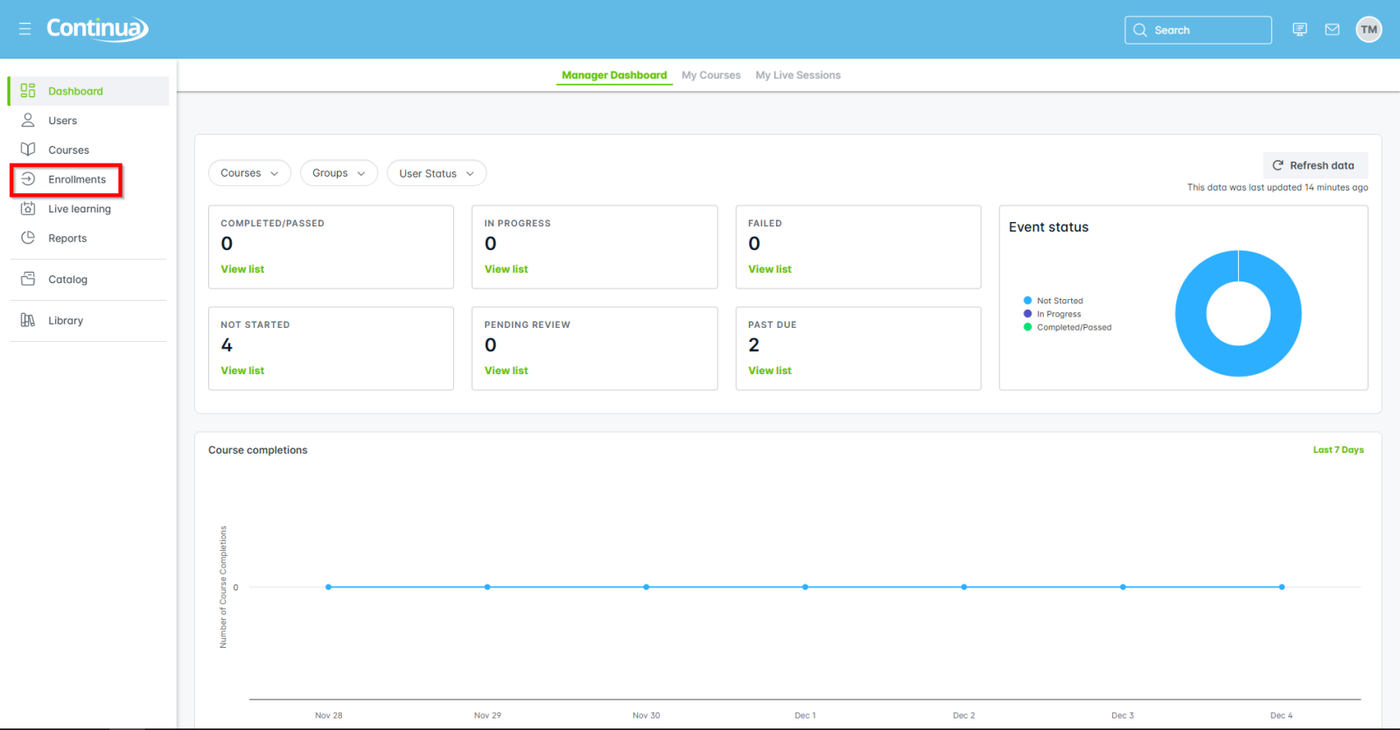
- From the primary navigation, go to Enrollments.
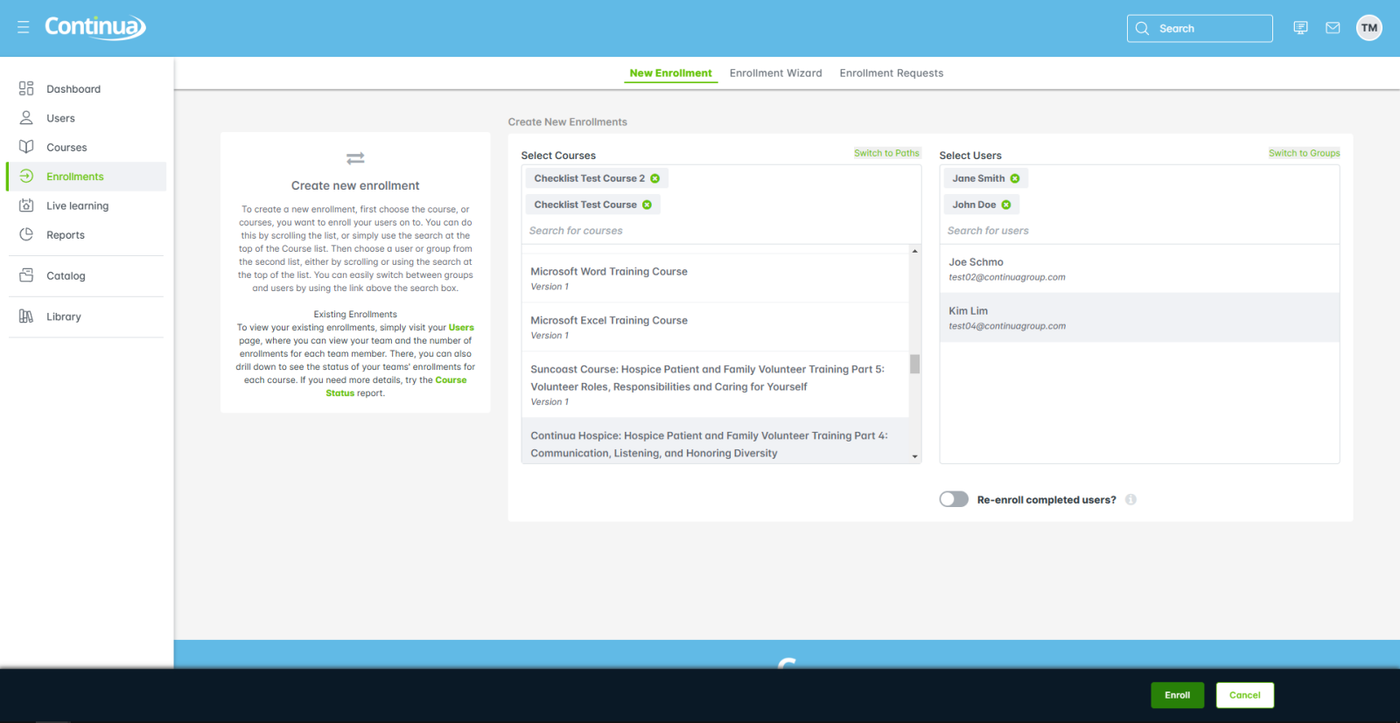
- From Create New Enrollment, select one or more courses from the list.
- Select one or more learners from the list of learner names.
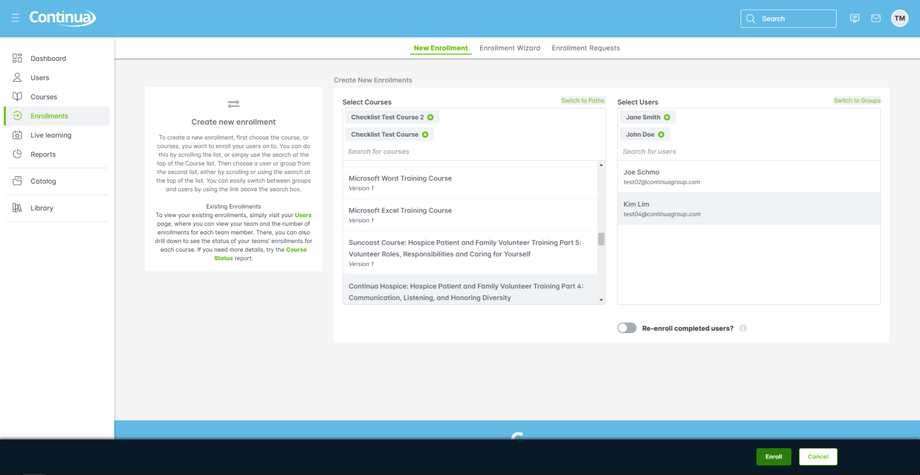
- Select Enroll to finish.
Update individual enrollments through the Users menu
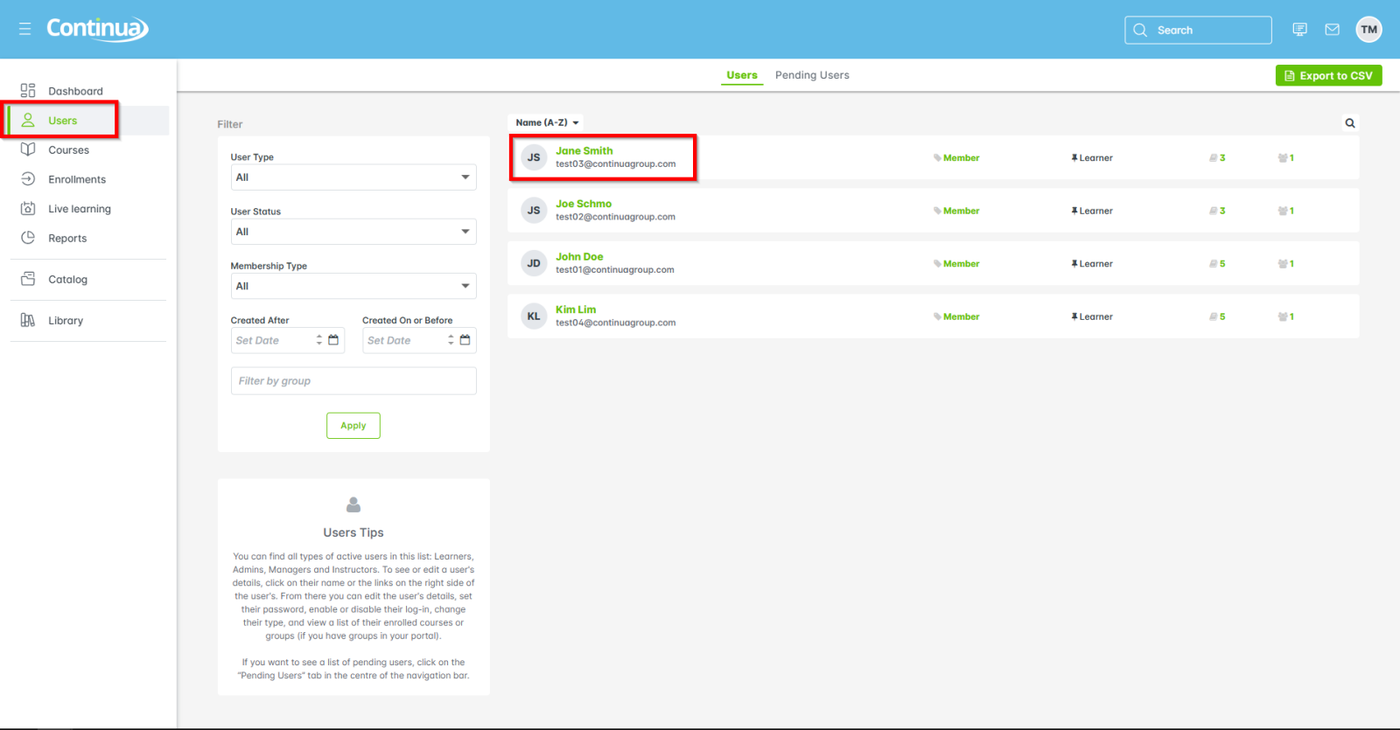
- From the main navigation go to Users > learner name.
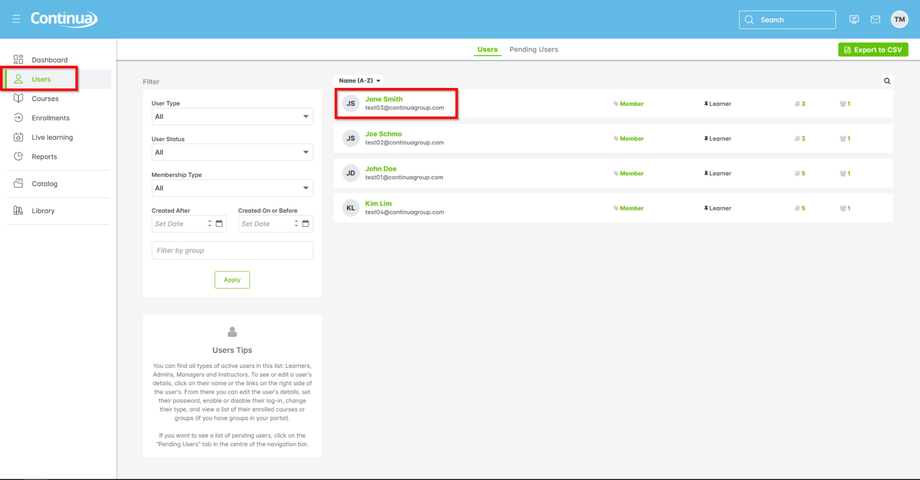
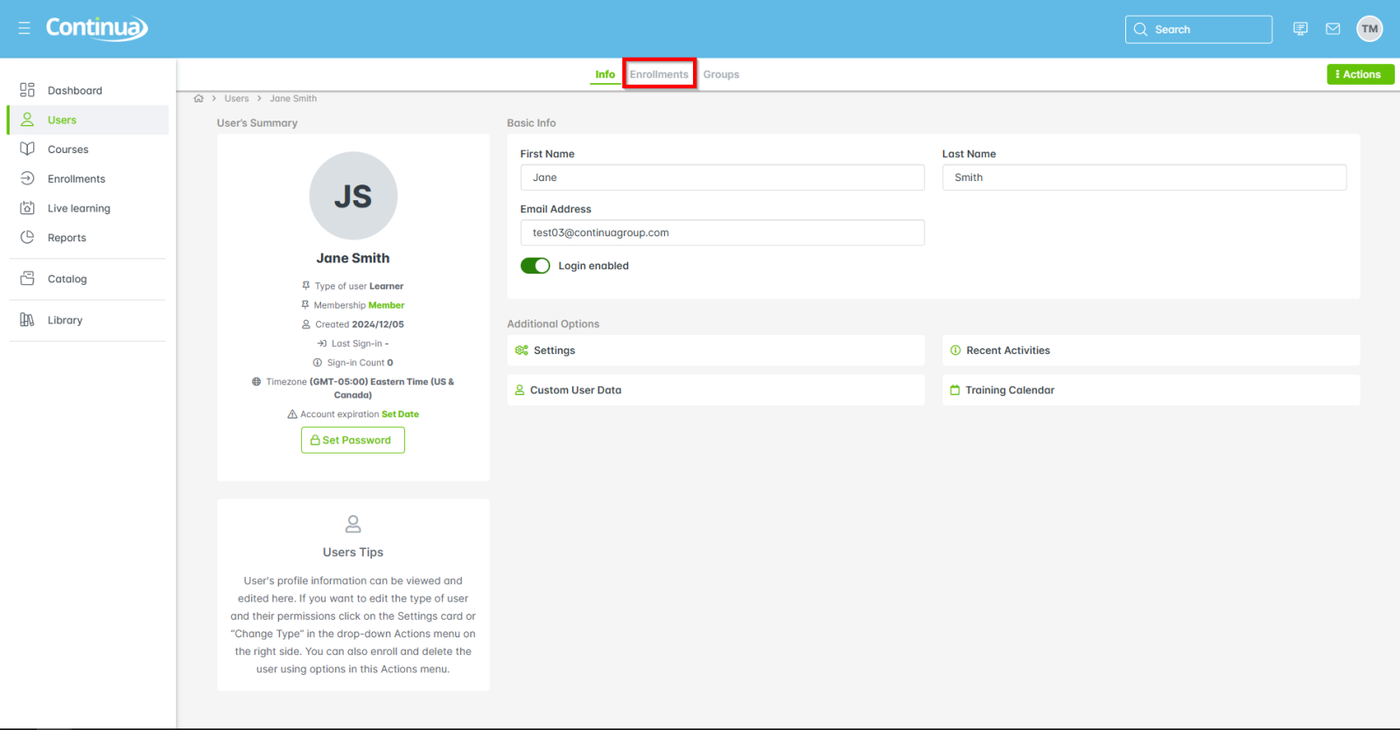
- From the secondary navigation, select Enrollments.
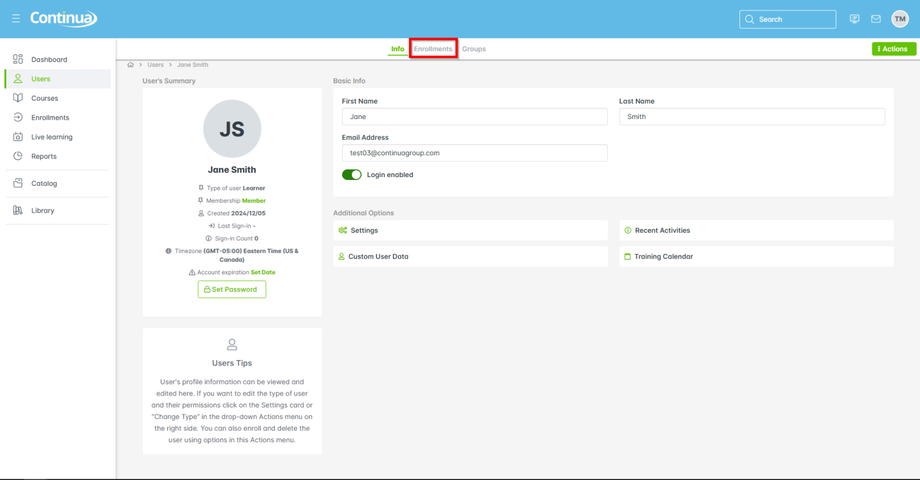
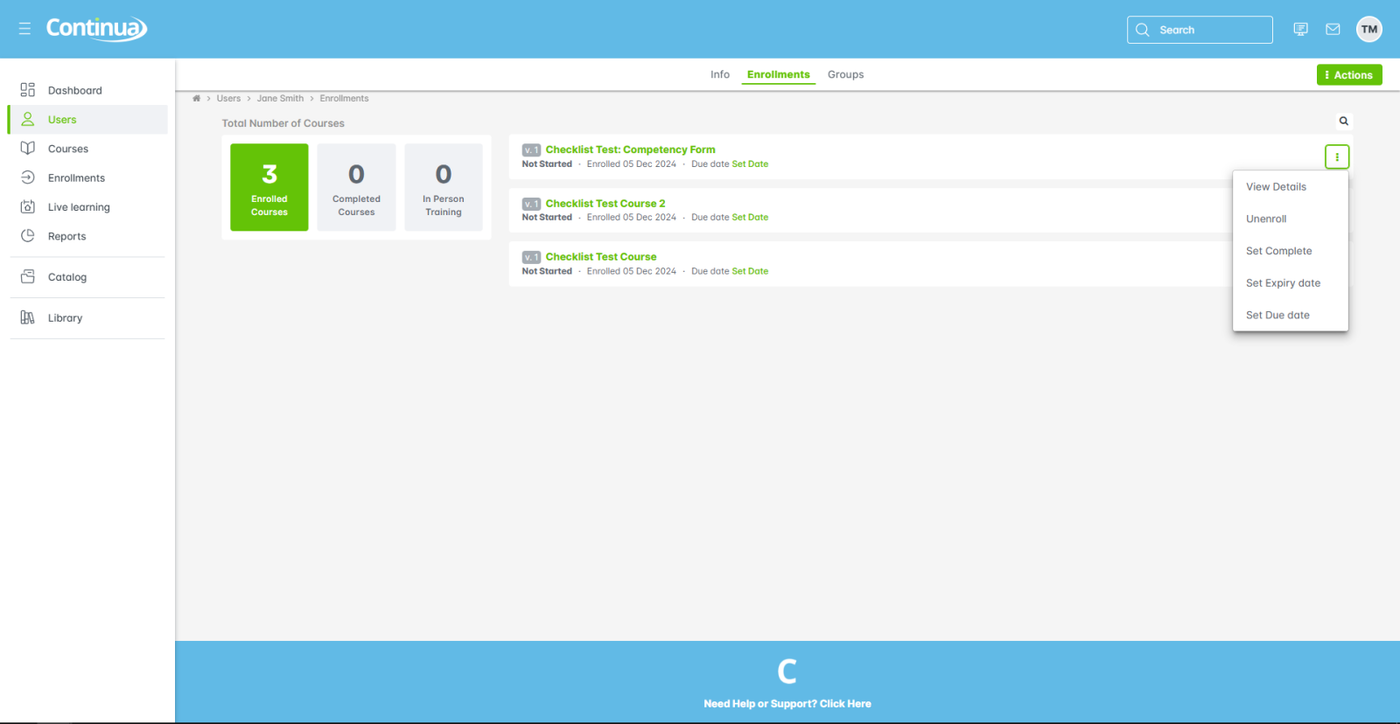
- Select a course, then select More (aka 3-dot menu) to choose one of the following:
- View Details: course name, learner's status
- Unenroll: remove the learner from the course
- Set Complete: manually mark the learner as Completed, Passed, or Failed the course
- Set Expiry date: select a date to end the learner's access to the course
- Set Due date: select the advisory date when users should finish a course
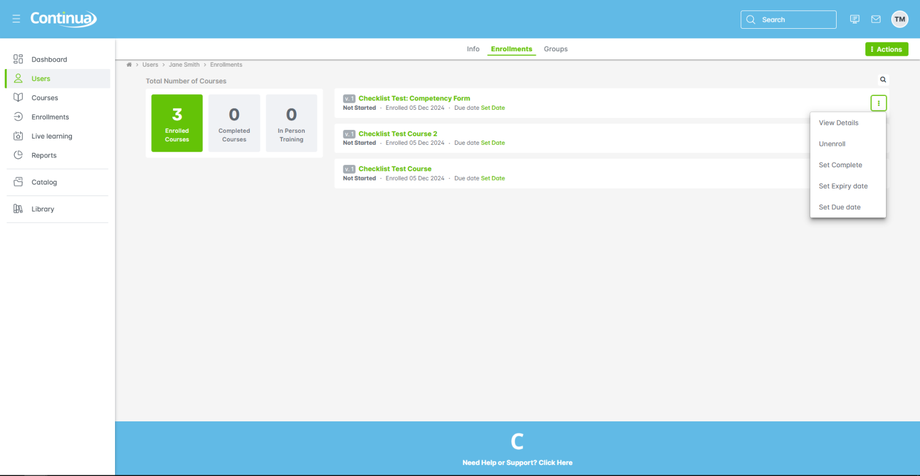
- For the selected option, follow the dialog prompts to complete the step.